

This article was prepared by the content team at Interact Labs, the Egyptian company specialized in developing interactive digital education solutions since it was founded in 2019, drawing on hands on experience designing and supplying interactive display systems for hundreds of schools, universities and training centers, and continuous research into best practices for classroom design across different age groups.
Last updated: July 2026
The right shape for interactive boards for classrooms in a kindergarten is nothing like the right shape for a university lecture hall. Every age group needs a different mounting height, screen size and visual identity that matches the students and the room itself. This guide shows how to choose the right shape and identity at each stage of education, and how a TACT device from Interact Labs gives you the flexibility to adapt to every classroom with a single device. This is a design and age fit guide rather than a buying comparison, so if you want procurement and rollout details for interactive boards for classrooms, our dedicated guides cover that separately.
Interactive boards for classrooms are touch interactive displays used across every stage of education, but the ideal shape, height and visual identity change dramatically from a kindergarten room to a university hall. This guide breaks down what changes at each stage and how one flexible device can adapt to all of them.
Why interactive board shape changes by grade level
Many schools treat interactive boards for classrooms as a single product that gets installed the same way in every room, but a kindergarten student and a university student actually need a completely different interaction experience in terms of screen height, size and the colors used in the interface.
The classroom is part of the school's overall visual identity, and the shape of the board either supports that identity or clashes with it. A board with strict, formal colors in a kindergarten room looks out of place, just as a board with bright, playful colors would look out of place inside a university lecture hall. This is a different question from which board to buy or how to roll it out across a school, both of which we cover in separate guides; here the focus is purely on matching shape and identity to the age of the students in the room.
Board identity for each age group
Here is how the shape and identity of a classroom board should change according to the age group of the students.
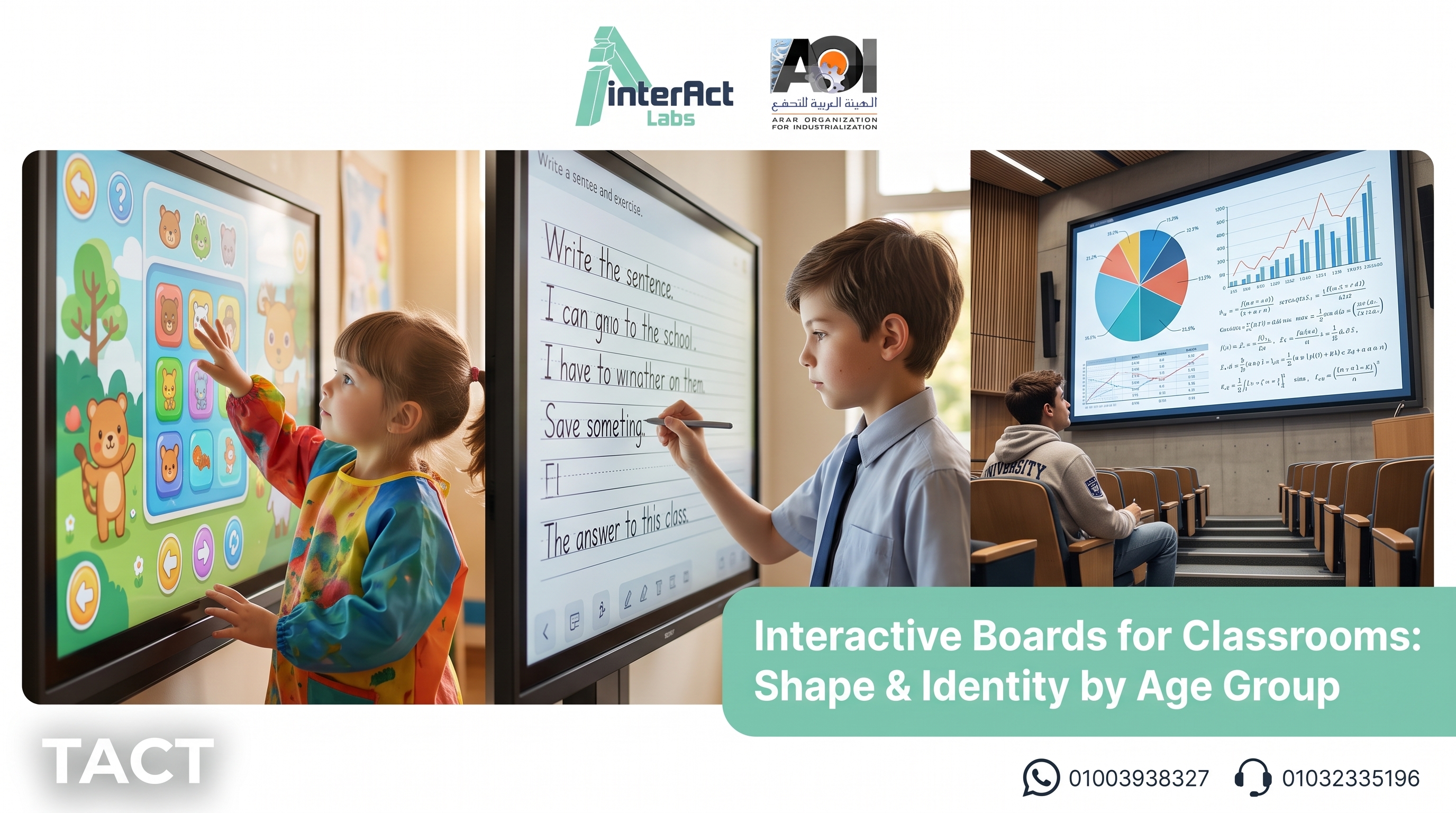
Kindergarten classrooms need a low mounting height that lets a young child reach the screen directly with their hand, along with an interface that uses bright colors and large, clear icons. A medium screen size works best to avoid overwhelming a small child with too large an interactive surface, and rounded edges are essential for safety inside the room. At this stage the board is as much a play surface as a teaching tool, so the priority is reachability and a warm, inviting look rather than raw display size.
Primary school classrooms need a balance between visual clarity and durability, since students interact with the screen directly and frequently during the lesson. The mounting height rises slightly above the kindergarten stage, and the color palette becomes calmer while still keeping engaging interactive elements that suit the age group. Durability matters more here than at any other stage, because primary students are physically active with the screen but less careful than older ones.
Secondary and university classrooms need a professional design with a larger display area that suits more complex academic content, such as charts, equations and long presentation decks. The visual identity here leans toward neutral colors and a clean layout rather than bright elements. At this stage students rarely touch the board themselves during a lecture, so viewing distance and clarity from the back row matter far more than reachability.
Beyond the age group itself, four additional factors determine the ideal shape and identity for a classroom board: the room's dimensions and viewing angles, the natural light in the room, the subjects most often taught in it, and how frequently the room changes function during the day.
A report from the Organisation for Economic Co-operation and Development on international experiences with interactive whiteboards in education notes that the success of the technology inside the classroom depends on how well it actually fits the age group and the environment of use (OECD, 2013). The Global Education Monitoring Report from UNESCO also confirms that educational technology should be designed to serve the specific needs of each stage of education on its own terms (UNESCO, 2023).
A quick summary by grade level: a kindergarten room wants a low mounting height, a medium screen, and a bright identity with rounded edges. A primary school room wants a medium height, a medium to large screen, and a calm palette that still keeps interactive elements. A secondary or university room wants a high mounting position, a large screen, and a professional, neutral visual identity.
Why one fixed shape rarely fits a whole school
Most schools are not a single age group, they are several at once, spread across buildings and floors. A school that buys the same fixed interactive board for every room ends up with kindergarten screens mounted too high for small children to reach, or lecture hall screens too small to read from the back. This is the core problem with treating classroom board shape as a one size decision, and it is exactly where a flexible, adjustable solution earns its place, because the same device can be set at child height in one room and lecture height in another without buying two different products.
TACT: one device that adapts to every classroom
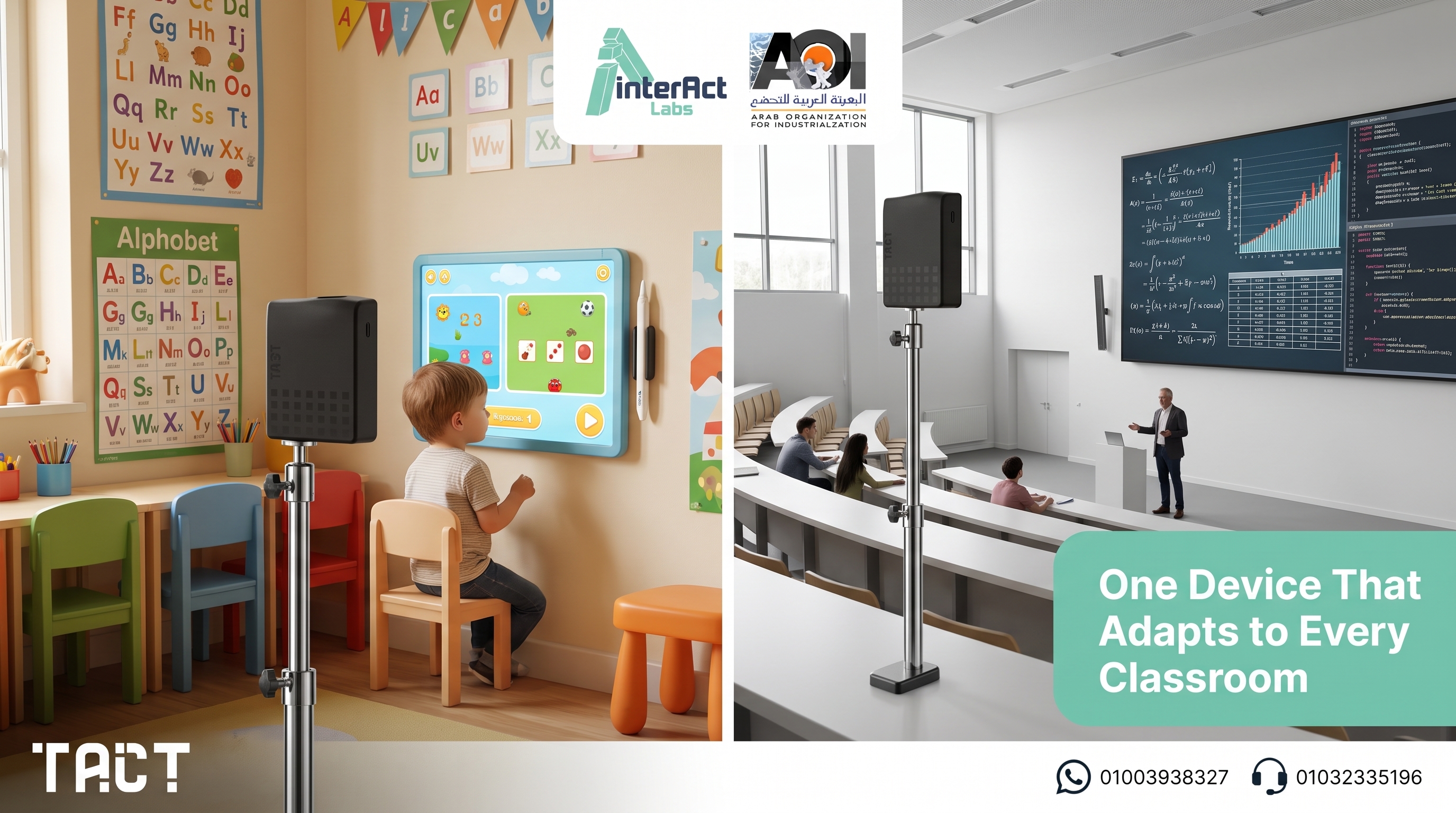
Instead of buying a ready made interactive board with a fixed design for each stage separately, the TACT device from Interact Labs offers a single solution that adapts to any screen or projector already available, regardless of its size or height. The mounting height can be adjusted to suit a kindergarten room or a university hall using the exact same device, with no need to change the equipment.
This flexibility means a school can keep a consistent visual identity for the technology itself across every classroom, while still customizing the screen or surface it projects onto to fit each age group. A kindergarten room can pair the device with a lower, smaller display and a bright interface, while a lecture hall pairs the same device with a large screen and a neutral layout, and the school still buys and supports only one type of device.
Interact Labs was founded in 2019 in Cairo as an Egyptian technology company specialized in developing digital education solutions, and today it serves hundreds of schools, universities and training centers, with full Arabic language support in its user interfaces and local customer service.
Explore how one flexible device fits every classroom in your school, start here
How to choose the right shape for your classroom
Identify the students age group first. Mounting height, screen size and color palette differ fundamentally from one stage to another, so this single decision narrows most of the others.
Measure the room and the viewing angle. Small classrooms need closer, smaller screens, while large halls need a wider display area readable from the back row.
Review the school's visual identity. Choose colors and a design that align with the school's overall identity instead of imposing a different look inside the room.
Ask about the ability to adjust between stages. Flexible solutions such as portable sensor devices allow the setup to be changed easily when the classroom's use changes.
Calculate the budget for each stage separately. Equipping classrooms across multiple stages needs a budget plan that accounts for the different needs of each stage.
Compare the flexible TACT range for every stage in the shop, shop now
Key takeaways on interactive board shape for classrooms
The right shape for interactive boards for classrooms changes fundamentally between kindergarten, primary school, secondary school and university.
Mounting height, screen size and color palette are the main identity elements that shift by age group.
Board identity is part of the school's overall visual identity, not a separate element from it.
A single fixed shape rarely fits a whole school made up of several age groups at once.
A TACT device provides the flexibility to adapt to every stage of education with one device, without changing equipment.
Choosing the right shape starts by identifying the age group, then room size, school identity and available budget.
Frequently asked questions about interactive board shape for classrooms
Should the mounting height of an interactive board differ by student age? Yes, the mounting height should allow the shortest student in the classroom to reach the screen comfortably, so the height is lower in kindergarten classrooms and rises gradually through the older stages.
Is it best to use bright colors in every classroom? No, bright colors suit kindergarten and primary school, while secondary and university classrooms need a calmer, more professional design that fits the nature of academic content.
Can the same device be used across classrooms with different age groups? Yes, portable sensor devices such as TACT can be moved and their height adjusted easily to fit any stage of education, without buying a different device for each classroom.
How does classroom size affect the choice of screen size? Small classrooms need screens that are closer to students and smaller in size to avoid visual strain, while large halls need a wider display area to ensure clear visibility from every angle.
Does school identity actually affect interactive board design? Yes, the board is a visible part of the classroom environment, and choosing colors and a design consistent with the school's identity creates a more visually cohesive learning environment.
What is the technical difference between a kindergarten screen and a university screen? The main difference lies in size, height and the type of user interface, while the core touch accuracy and interaction quality remain fairly similar across the different stages.
Does a school need a separate budget for each stage of education? It is best to allocate a budget that accounts for the different needs of each stage, though flexible solutions such as portable devices significantly reduce this cost gap.
Does the TACT device support Arabic across all stages of education? Yes, Interact Labs provides full Arabic language support in its user interfaces and local customer service for all its clients in Egypt, regardless of the grade level.
Can a board's identity be changed after installation if the classroom's grade level changes? With fixed solutions this is difficult and requires technical intervention, while portable solutions allow the setup to be reconfigured or relocated easily whenever the classroom's use changes.
Can I try the right solution before equipping the whole school? You can contact the Interact Labs team to book a free consultation and try the best fit for each stage before making a decision to equip the entire school.
Conclusion and next step
The shape and identity of a classroom board are not a minor detail, they are a core part of what makes the learning experience work at every stage of education. Choosing the right height, size and colors for the students age turns the board into a natural part of the classroom environment rather than an element that feels out of place. A TACT device from Interact Labs gives you this flexibility with a single device that adapts to every stage of your school.
If you are planning to equip classrooms across multiple grade levels with the best value for your budget while keeping a consistent visual identity, the Interact Labs team is ready to help you choose the right solution for every classroom.
Try the TACT device yourself and get a free consultation for your school, order now
About the author
The Interact Labs Team Specialized educational content on interactive display solutions and smart classrooms, backed by field experience since 2019 designing and supplying TACT systems for hundreds of schools and institutions across Egypt and the Arab region.
Sources and references
Organisation for Economic Co-operation and Development (OECD), Learning from International Experiences with Interactive Whiteboards, OECD Education Working Papers No. 89, 2013
UNESCO, Global Education Monitoring Report 2023: Technology in Education — A Tool on Whose Terms?, 2023


