

This article was prepared by the content team at Interact Labs, the Egyptian company specialized in developing interactive digital education solutions since it was founded in 2019, drawing on hands on experience designing and supplying interactive display systems for hundreds of schools, universities and training centers.
Last updated: July 2026
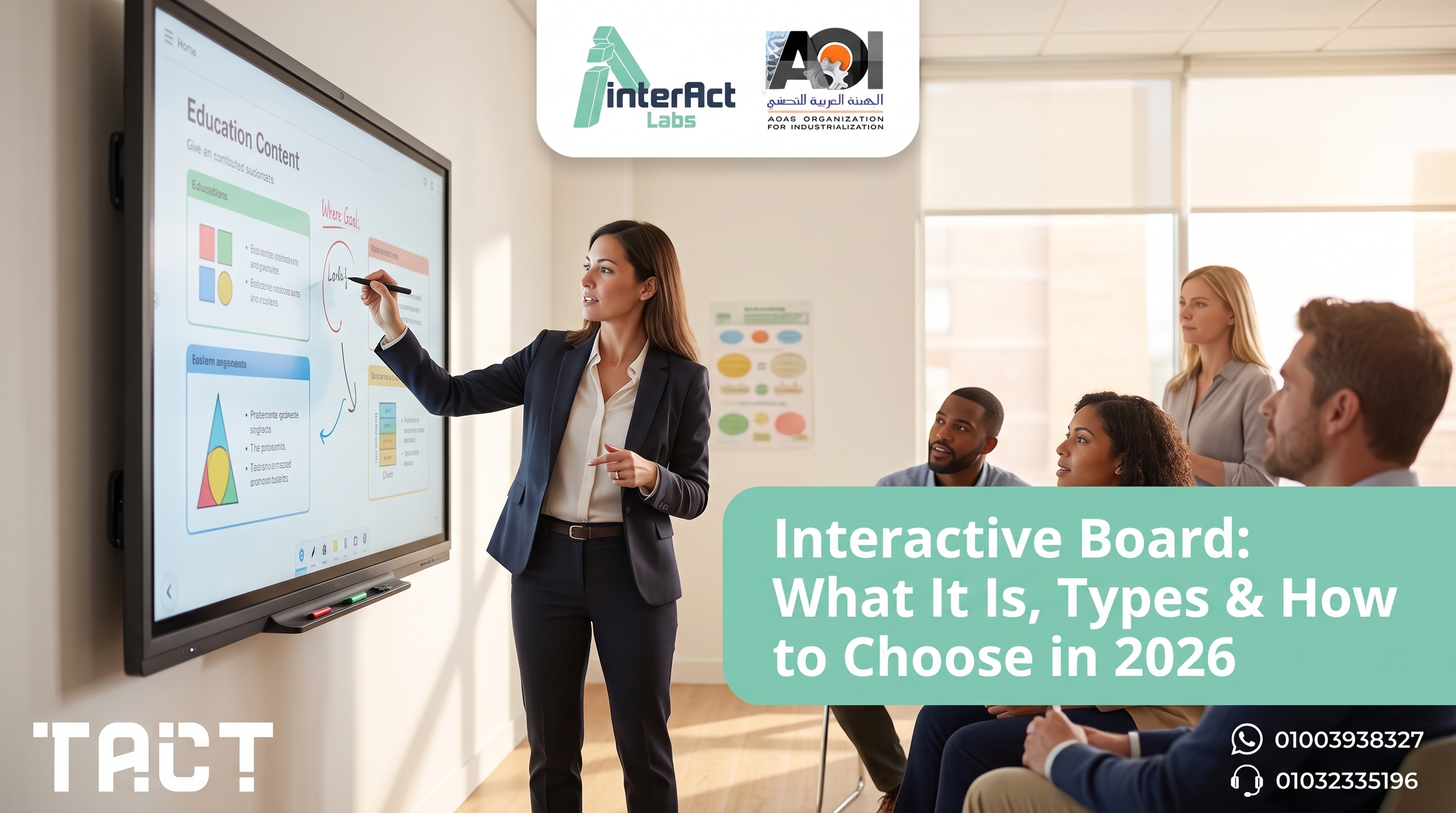
An interactive board is a touch enabled display that lets a teacher or presenter write, draw and control software directly on the screen with a finger or a pen, instead of using a mouse. It has become a standard tool in classrooms, lecture halls and meeting rooms. This guide explains what an interactive board is, the main types available, how one works, and how to choose the right one, including how a TACT device from Interact Labs turns any existing screen into a full interactive board without replacing it.
An interactive board is a display or surface that responds to touch and connects to a computer, turning a normal presentation into a two way session where users interact directly with the content. The main types range from large all in one panels to small devices that add touch to a screen you already own, and the right choice depends on your room, budget and how many rooms you need to equip.
What is an interactive board
An interactive board is any display or surface that responds to direct touch, letting users write, draw, move objects and control connected software right on the screen. It connects to a computer, which runs the actual software, while the board serves as both the display and the pointing device. In practice, an interactive board replaces the one way flow of a projector or a plain screen with a two way session where the presenter and the audience can both interact with what is on screen.
People sometimes use the terms interactive board, smart whiteboard, smart interactive whiteboard and interactive whiteboard to describe the same category. The core idea is shared across all of them, a touch enabled surface used for teaching or presenting, though the exact form can differ from a large fixed panel to a small device that adds touch to an existing display.
Discover the full range of interactive board solutions from Interact Labs, start here
Why classrooms and offices use an interactive board
An interactive board changes how people engage with content. Instead of passively watching a slide, students or team members can write on the screen, annotate a document, drag elements around, and work together on the same surface. This active participation is the main reason interactive boards have spread so widely across education and business.
A report from the Organisation for Economic Co-operation and Development on international experiences with interactive whiteboards notes that the value of the technology depends on how well it is integrated into daily teaching and its actual environment of use, not just its raw specifications (OECD, 2013). The Global Education Monitoring Report from UNESCO similarly stresses that classroom technology should genuinely support learning rather than be adopted for its own sake (UNESCO, 2023).
The practical benefits are consistent, better engagement between the presenter and the audience, easier visual explanation of complex material, the ability to save and share whatever is written on the board, and support for group work on a single shared surface.
The main types of interactive board
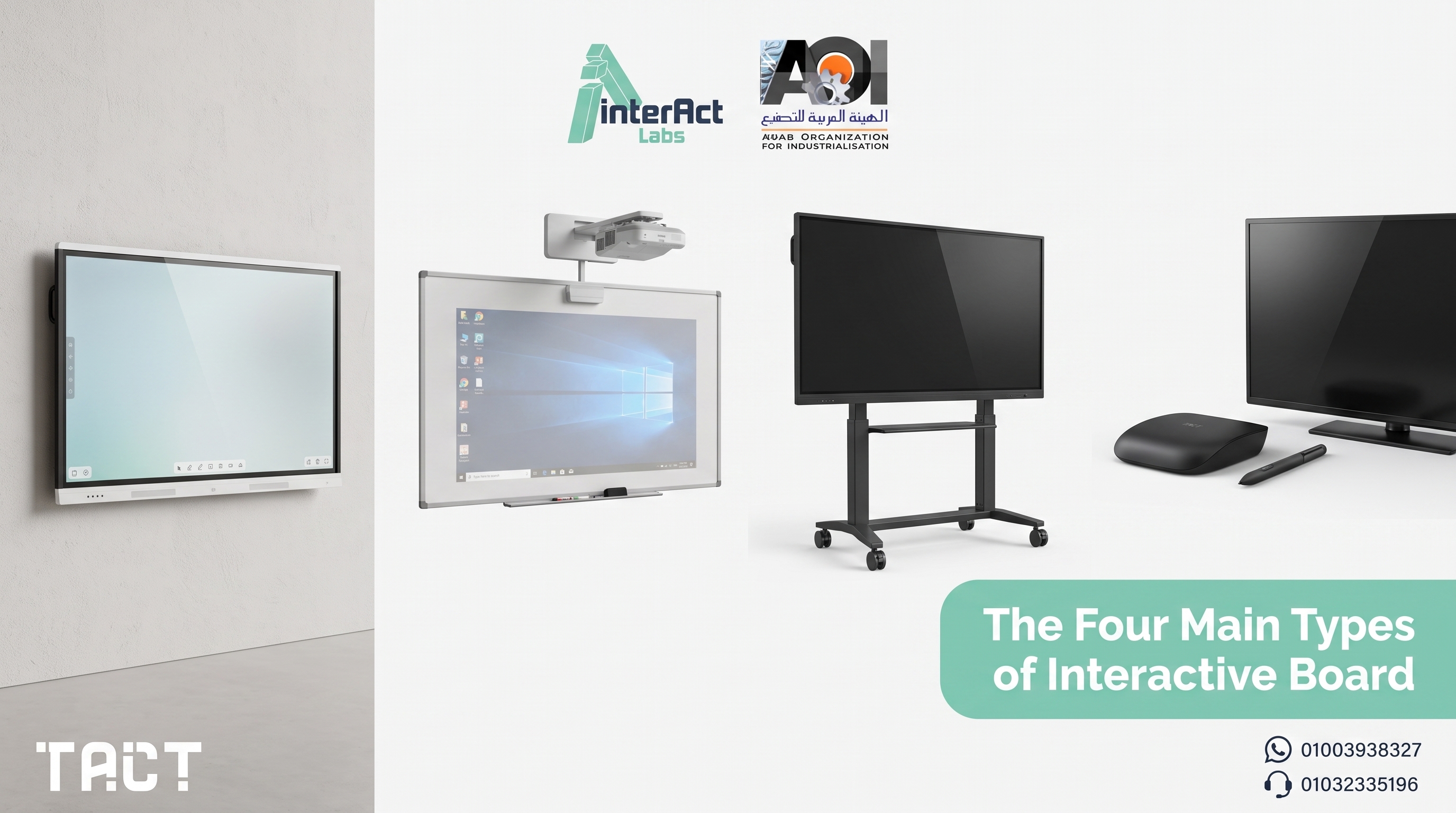
Interactive boards come in a few distinct forms, and the differences between them matter more for your budget and flexibility than for the core touch experience, which is fairly similar across all of them.
The all in one interactive panel is a large touch display with its own screen, processor and software built in, mounted permanently on a wall or a stand. It offers high display quality but comes at the highest cost, needs professional installation, and stays fixed in one place.
The projector based interactive board uses an overhead projector and a special sensor filled surface. It is lighter than a full panel but its performance is more sensitive to the room's lighting, which makes it best suited to rooms with controlled light.
The mobile stand interactive board mounts a touch screen on a wheeled base that can be pushed between rooms. It adds mobility to a large screen but remains bulky and needs storage space when not in use.
The device based interactive board, such as TACT, is the smallest and most flexible form. A small sensor connects to any existing screen, television or projector and turns it into a full interactive board within minutes, without wall mounting or a large budget. For a wider look at all the interactive screen form factors, our complete interactive screen guide covers them in detail.
How an interactive board works
An interactive board detects touch using one of three main technologies. Infrared sensing detects a finger or pen by interrupting a grid of light beams across the surface. Resistive sensing registers pressure between two thin flexible layers. Capacitive sensing, the technology in phones and tablets, reads the electrical signal from a finger directly.
Once a touch is detected, the board sends the coordinates to the connected computer, exactly the way a mouse does. The computer runs the software, whether that is a slide deck, a browser or an annotation app, and the interactive board acts as the pointing device and the display at the same time. A device based interactive board works the same way, except the sensor is attached to an existing screen or aimed at a projected image, so the room keeps the display it already owns.
How to choose the right interactive board
Measure the room before choosing a screen size. The right size is set by viewing distance and room depth, not by whatever looks most impressive in a catalog, since a screen too large for a small room is as much a problem as one too small for a hall.
Decide how permanent the installation should be. A fixed wall mounted panel suits a room that will not change, while a device based interactive board suits a space that gets reused or reconfigured.
Confirm the software you already use still works. A device based solution runs with the apps already on your computer, while some all in one panels ship with their own vendor specific software.
Calculate the cost of scaling, not just one room. Equipping many rooms with all in one panels multiplies the cost quickly, while a device based interactive board reuses screens you already own in each room.
Ask about local support and warranty. Response time and spare parts availability matter as much as the hardware itself once the board is installed.
Browse the full TACT range in the shop, shop now
TACT: an interactive board that works with any screen you own
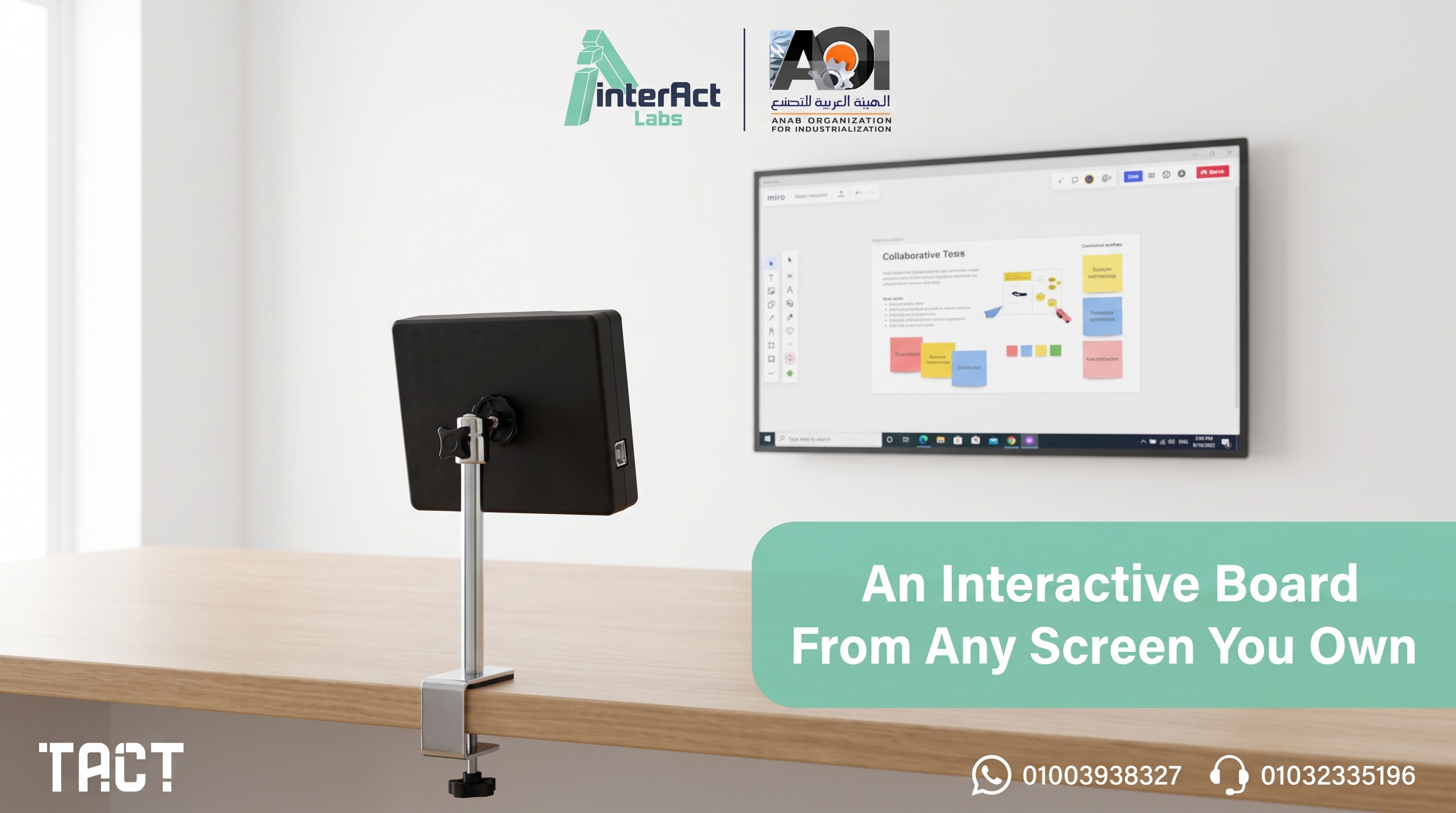
Instead of buying a fixed all in one panel, the TACT device from Interact Labs turns whatever screen or projector is already in the room into a full interactive board within minutes. It supports up to four simultaneous users, works with the software you already run, and covers large display areas, all without wall mounting or replacing your existing screen.
Because the device itself is small and portable, the same interactive board can move between rooms and adapt to different screens, which makes it a practical fit for schools and businesses that need flexibility rather than a fixed installation in a single room. For the full specification and setup details, read our complete guide to the TACT device. Schools that have run into the limits of a fixed installation can also compare notes in our guide to the disadvantages of traditional smart boards.
Interact Labs was founded in 2019 in Cairo as an Egyptian technology company specialized in developing digital education solutions, and today it serves hundreds of schools, universities and training centers, with full Arabic language support in its user interfaces and local customer service.
Key takeaways on interactive boards
An interactive board is a touch enabled display that lets users write and control software directly on the screen instead of using a mouse.
The main types are the all in one panel, the projector based board, the mobile stand, and the device based interactive board.
The core touch experience is similar across types, so the real differences are cost, installation and flexibility.
A device based interactive board such as TACT turns any existing screen into a full interactive board at a fraction of the cost of a fixed panel.
Choosing the right interactive board starts with measuring the room, then deciding how permanent the setup should be, then comparing the cost of scaling across rooms.
Frequently asked questions about interactive boards
What is an interactive board used for? An interactive board is used for interactive teaching, presentations and collaboration. It lets a presenter write, annotate slides and control software directly on the display, then save or share the session instead of erasing it like a normal whiteboard.
What is the difference between an interactive board and a smart whiteboard? The terms are generally used interchangeably. Both describe a touch enabled display used for teaching or presenting. Some brands use one term for a fixed panel and the other for a projector based setup, but the core function is the same.
How does an interactive board work? An interactive board detects touch through infrared, resistive or capacitive sensing, then sends the touch coordinates to a connected computer the same way a mouse does. The computer runs the software while the board acts as the display and the pointing device.
Do I need a special screen to get an interactive board? Not necessarily. A device based interactive board such as TACT adds touch to any existing screen, television or projector, so you do not need to buy a dedicated panel to get interactive board functionality.
How many people can use an interactive board at once? This depends on the product. The TACT device supports up to four simultaneous users on the same screen, which suits group work and paired activities in a classroom or meeting room.
Is an interactive board the same as an interactive whiteboard for the classroom? In everyday use, yes. An interactive whiteboard for the classroom is simply an interactive board used in a teaching context, and both terms describe the same touch enabled teaching surface.
Does an interactive board need special software? A device based interactive board generally works with the software already installed on the connected computer, including browsers, slide decks and standard teaching apps, so there is no new platform to buy or learn.
Is a device based interactive board cheaper than a fixed panel? In most cases yes, because it reuses a screen, television or projector you already own instead of requiring a brand new all in one panel, which lowers both the purchase price and the installation cost.
Can an interactive board be moved between rooms? A fixed panel is difficult to move once installed, while a device based interactive board is small and portable and can be moved between rooms easily as needs change.
Does the TACT interactive board support Arabic? Yes, Interact Labs provides full Arabic language support in its user interfaces and local customer service for all its clients in Egypt.
Conclusion and next step
An interactive board turns a passive screen into a two way surface for teaching, presenting and collaboration, and the right one for you depends far more on your room, budget and scaling plans than on the core touch experience, which is similar across every type. A fixed all in one panel can suit a dedicated room, but a device based interactive board such as TACT from Interact Labs delivers the same interactive capability at a lower cost, while keeping the flexibility to move between rooms and work with screens you already own.
If you are planning to add an interactive board to one room or many, the Interact Labs team is ready to help you choose the right type for your space and budget.
Try the TACT device yourself and get a free consultation, order now
About the author
The Interact Labs Team Specialized educational content on interactive display solutions and smart classrooms, backed by field experience since 2019 designing and supplying TACT systems for hundreds of schools and institutions across Egypt and the Arab region.
Sources and references
OECD, Learning from International Experiences with Interactive Whiteboards, OECD Education Working Papers No. 89, 2013
UNESCO, Global Education Monitoring Report 2023: Technology in Education — A Tool on Whose Terms?, 2023


